A few years ago, producing a single piece of content could easily take an entire day. I would spend hours writing scripts, designing visuals, editing clips, and fixing small details. None of the work was particularly difficult, but the process was slow.
AI has changed that workflow.
It doesn’t automatically create great content, and I still guide every idea and decision. What AI really does is remove many of the time-consuming steps in production. Tasks that once required an hour can now take just a few minutes. When you publish content frequently, that time difference matters a lot.
In 2026, AI is not replacing creators. Instead, it works more like a production assistant. It speeds up the parts of the workflow around the idea, allowing me to spend less time on repetitive tasks and more time improving the final content.
Here’s how AI helps me stay productive.
Why Productivity Matters for Content Creators
Most content platforms reward consistency. The more regularly you publish, the more likely your content will reach new audiences.
But publishing consistently is harder than it sounds. A typical piece of content usually includes several steps:
- brainstorming ideas
- writing scripts or prompts
- creating visuals
- editing video or images
- designing thumbnails
- exporting and publishing
Handling all of these tasks manually can take a lot of time. When production slows down, it becomes difficult to maintain a regular publishing schedule.
AI shortens many of these steps. Instead of starting from nothing, I start with drafts that AI generates. Then I refine and adjust them until they match my vision.
This approach saves a significant amount of time.
AI Makes Idea Generation Faster
Sometimes the hardest part of content creation is simply getting started.
I often use AI to generate:
- video topic ideas
- story concepts
- prompt variations
- scene descriptions
When I run out of ideas, AI can suggest new directions. The suggestions are not always perfect, but they often spark new thoughts.
Most outputs are average, but one or two ideas are usually interesting enough to develop further.
The biggest benefit is that I no longer sit staring at a blank page.
Rapid Visual Prototyping
Testing visual concepts used to be slow. If I wanted to try several thumbnail styles or illustration ideas, I had to design each version manually.
AI image generators changed that process.
Now I can create several visual drafts in minutes. I simply describe the image I want, and the system produces multiple variations.
For example, I might generate different versions of:
- a YouTube thumbnail
- a social media graphic
- a background scene for a video
Instead of committing to one design too early, I can quickly explore different directions. Once I see the best option, I refine it further.
Faster visual creation also supports stronger growth strategies on platforms like YouTube, where publishing consistently often matters more than perfection.
Faster Iteration and Experimentation
One of the biggest advantages of AI tools is how quickly changes can be made.
If an image or video is close to what I want, I don’t need to start over. I can simply adjust the prompt or tweak a few settings.
Within seconds, I receive a new variation.
This makes experimentation much easier. I can test more ideas without rebuilding everything from scratch. The process feels less like technical work and more like creative exploration.
AI Video Generation Saves Time
Video production used to take the most time in my workflow.
Recording footage, organizing clips, editing scenes, and adding effects required several tools and many manual steps.
AI video generator simplify much of this process.
Instead of filming every scene myself, I can generate clips using:
- text prompts
- Images
- reference videos
Some systems also support motion references, where an existing video guides the movement in the generated scene.
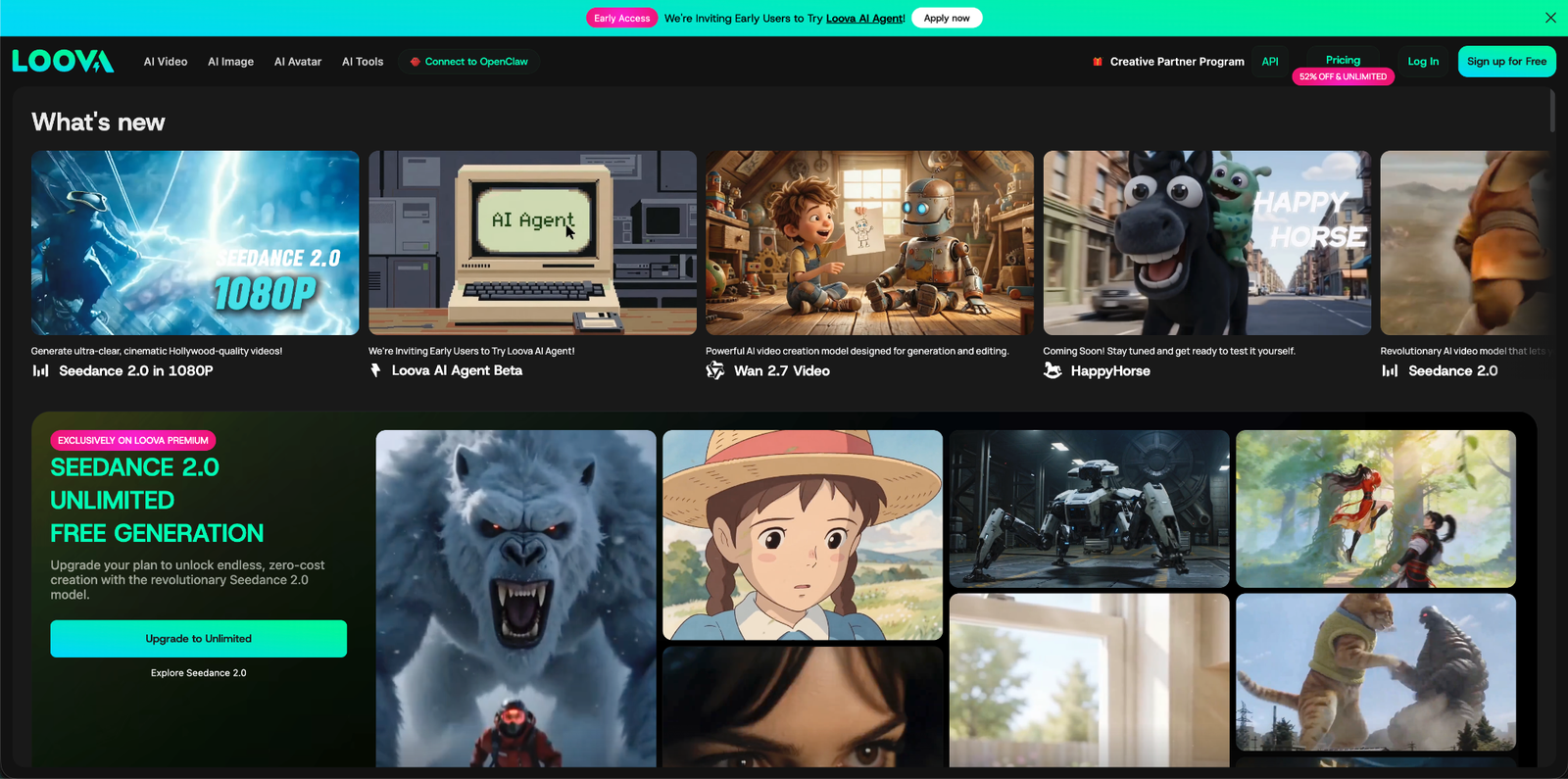
Platforms like Loova AI combine several of these tools into one workspace. I can generate video scenes, adjust visuals, and experiment with styles without switching between multiple apps.
This makes production much faster, especially for short-form videos.
AI Image Generation for Visual Assets
Visual content plays an important role in modern media. Thumbnails, blog images, graphics, and promotional visuals all help capture attention.
AI image generation makes producing these assets much easier.

Text to Image
With text-to-image tools, I simply describe the image I want. The system then generates several visual options.
For example:
- a cinematic landscape
- a product-style photo
- a stylized illustration
Instead of browsing stock image libraries, I can create visuals that match the exact idea I have in mind.
Image to Image Editing
Another feature I frequently use is image-to-image editing.
Rather than generating something completely new, I upload an existing image and modify it.
This is useful for tasks such as:
- changing the visual style
- adjusting lighting or colors
- replacing the background
- creating multiple variations of the same asset
For example, I might start with a product image and generate several versions. One might have a dark background, another bright colors, and another a poster-style look.
This makes it easy to reuse assets while keeping the content visually fresh.
AI Editing Tools Reduce Manual Work

Editing is often the most detailed part of content production.
Traditional editing software offers powerful control but also requires time and technical knowledge.
AI editing tools simplify many common tasks.
For example, AI can help:
- remove unwanted objects
- replace backgrounds
- extend scenes
- adjust lighting and color
Instead of manually masking elements or editing frame by frame, I can apply changes with simple instructions.
These tools don’t replace professional editing software entirely, but they significantly speed up everyday projects.
Maintaining Character Consistency
One challenge with generative visuals is maintaining consistency across scenes. Characters or subjects can sometimes change slightly between generated images.
Some modern AI tools solve this with reference systems.
These systems allow creators to keep the same character across multiple images or video scenes. Motion imitation tools can also replicate movements from reference clips.
This consistency makes storytelling easier when working with AI-generated visuals.
Integrated Workflows Save Time
Another reason AI improves productivity is workflow integration.
In the past, I used separate tools for different tasks:
- one tool for image generation
- another for video editing
- another for thumbnails
- another for design
Moving files between platforms slowed everything down. I had to download images, upload them again, and repeat the process across multiple tools.
Platforms like Loova AI combine several capabilities into a single workspace.
Within one platform, I can generate images, create video clips, edit visuals, and prepare assets for publishing. This eliminates the need to constantly switch between tools or repeatedly upload files.
The result is a much smoother workflow.
AI Encourages More Experimentation
Traditional content production can discourage experimentation because every variation requires additional time.
AI removes that limitation.
I can quickly test:
- different thumbnail styles
- alternate visual concepts
- multiple story ideas
- different visual themes
For example, I often generate several thumbnail options using AI and then choose the one that fits the content best.
Testing more ideas usually leads to stronger content.
AI Helps Solo Creators Do More
Many creators work independently or with very small teams. Producing a large volume of content without support can be difficult.
AI helps reduce that workload.
Instead of creating every asset from scratch, I start with AI-generated drafts. These drafts provide a starting point that I can refine and improve.
This approach saves a lot of time.
Because of this, I can:
- publish content more frequently
- manage multiple content channels
- experiment with new formats
I can also test different versions of the same content, such as multiple thumbnails, visuals, or video styles. AI generates the initial variations quickly, and I simply refine the best ones.
AI handles repetitive tasks while I focus on ideas and storytelling.
AI Still Needs Human Direction
Even with powerful tools, AI does not replace creativity.
High-quality content still requires:
- clear ideas
- well-crafted prompts
- editing and refinement
- strategic decisions
AI generates possibilities, but creators decide what works best.
The best results come from combining AI speed with human creativity and judgment.
The Future of AI-Assisted Creation
AI tools continue to improve every year.
Some developments already underway include:
- better motion generation in AI video
- stronger character consistency
- smoother integration between AI tools
- better collaboration features
As these technologies evolve, creators will spend less time on technical production and more time on creativity, experimentation, and audience growth.
Final Thoughts
AI has significantly changed how I create content.
In the past, most of my time was spent producing assets. Now I spend more time on ideas, storytelling, and improving the final result while AI handles many repetitive tasks.
Because of this shift, I can create more content without sacrificing quality.
AI does not replace creativity. It simply makes the workflow faster and more efficient for creators who want to scale their output.